Replication
Replication strategy
immudb includes support for replication by means of a follower approach. A database can be created or configured either to be a master or a replica of another database.
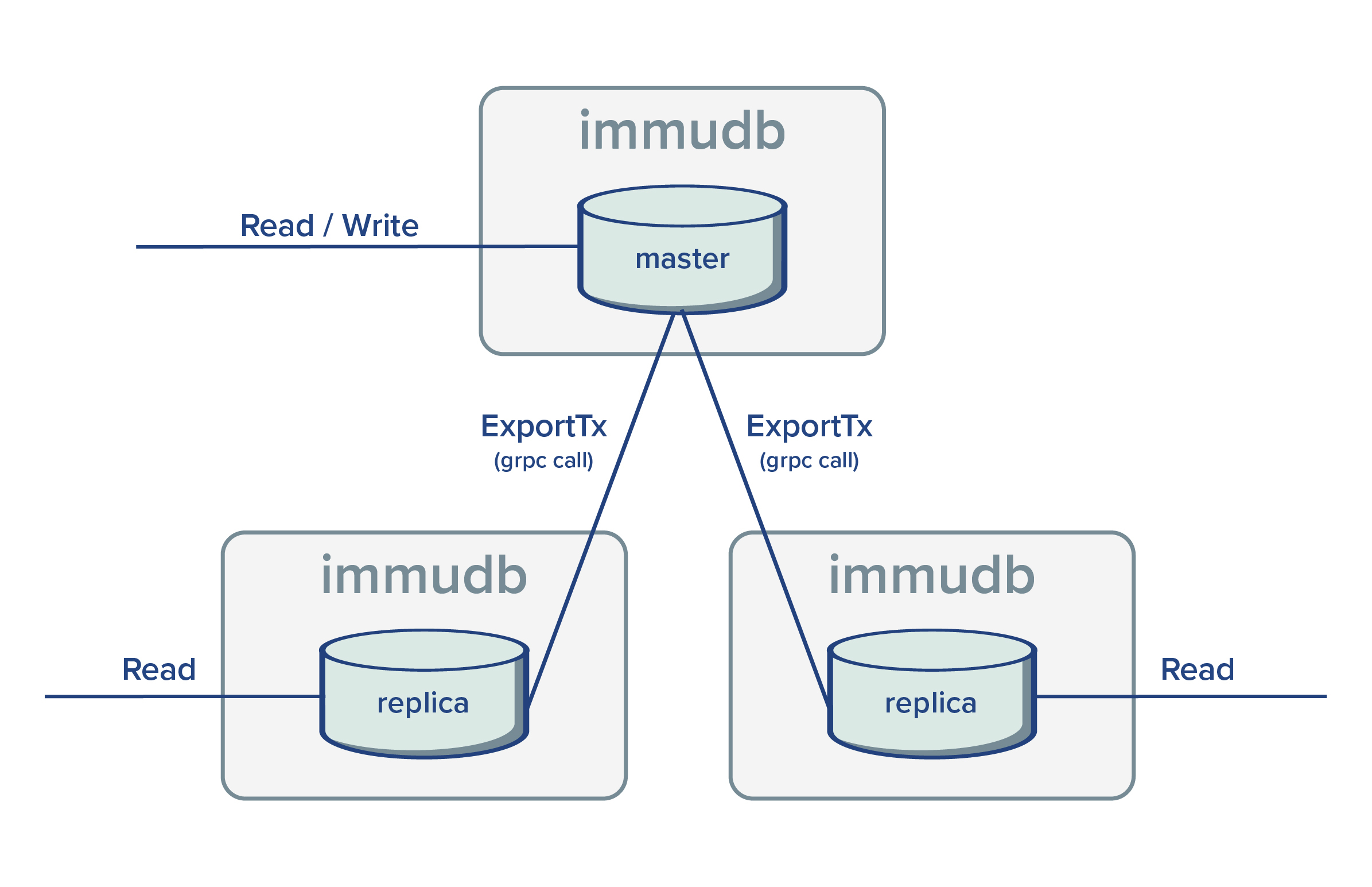
During replication, master databases have a passive role. The grpc endpoint ExportTx is used by replicas to fetch unseen committed transactions from the master.
Replicas are readonly and any direct write operation will be rejected. But queries are supported. Providing the possibility to distribute query loads.

Replication and users
As shown in the diagram above, the replicator fetches committed transaction from the master via grpc calls. Internally, the replicator instantiates an immudb client (using the official golang sdk) and fetches unseen committed transactions from the master. In order to do so, the replicator requires valid user credentials, otherwise the master will reject any request.
Note: currently only users with admin permissions are allowed to call ExportTx endpoint.
Creating a replica
Creating a replica of an existent database using immuadmin is super easy, replication flags should be provided when the database is created or updated as follow:
Login
./immuadmin login immudbCreate a database as a replica of an existent database
./immuadmin database create --replication-enabled=true --replication-follower-username=immudb --replication-follower-password=immudb --replication-master-database=defaultdb replicadb
Note: Display all database creation flags ./immuadmin database create --help
Creating a second immudb instance to replicate systemdb and defaultdb behaves similarly
- Start immudb binary specifying replication flags
./immudb --replication-enabled=true --replication-follower-password=immudb --replication-follower-username=immudb --replication-master-address=127.0.0.1
Note: Display all replication flags ./immudb --help
Multiple replicas
It's possible to create multiple replicas of a database. Each replica works independently from the others.

Given the master database acts in passive mode, there is not special steps needed in order to create more replicas. Thus, by repeating the same steps to create the first replica it's possible to configure new ones.
Replica of a replica
In case many replicas are needed or the master database is under heavy load, it's possible to delegate the creation of replicas to an existent replica. This way, the master database is not affected by the total number of replicas being created.

External replicator
By creating a database as a replica but with disabled replication, no replicator is created for the database and an external process could be used to replicate committed transactions from the master. The grpc endpoint ReplicateTx may be used to externally replicate a transaction.
Heterogeneous settings
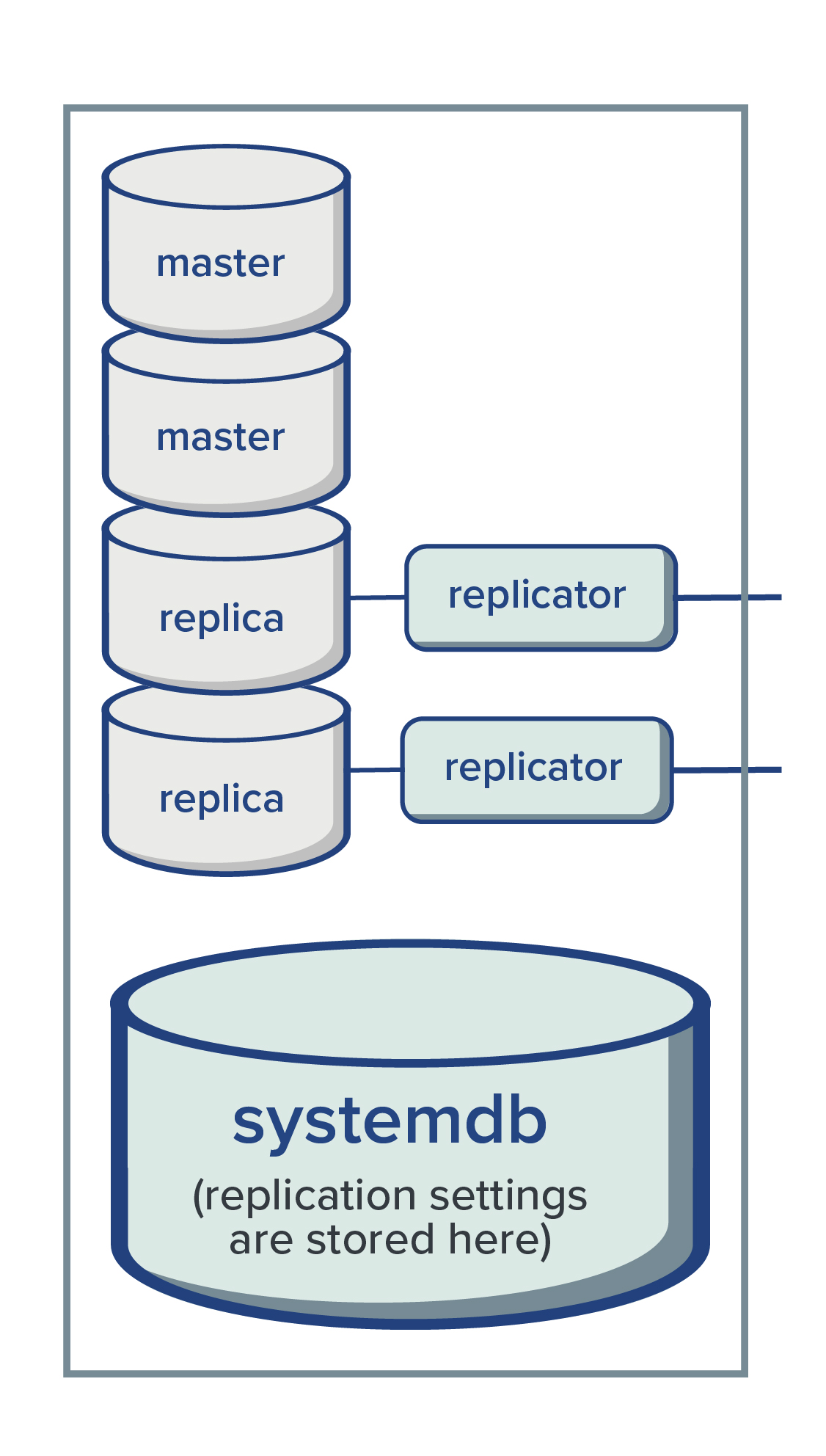
Replication is configured per database. Thus, the same immudb server may hold several master and replica databases at the same time.